
Annual
Best value$39.99/ year
About $3.33 a month. Save 52% vs monthly.
Start 7-day free trialGyme is the gym tracker for iPhone that puts last session’s weight and reps beside every set, so each workout starts with a target.
7-day free trial
Active session38:12
FinishBarbell bench press Chest
PR: 80 kg × 10
New personal record
Barbell bench press
82.5kg
× 8 reps
Previous best80 kg
Added+2.5 kg
That is progressive overload: one more rep or a small plate, session after session. It only works when you know exactly what you did last time, and Gyme keeps that number beside every set.
One evening session with Gyme, minute by minute.
A few quick questions about your goal, experience, equipment and week build your routines, with exercises, sets, reps, starting weights and rest times chosen. One tap on a routine starts the session. Prefer your own program? Build it instead.
Upper body
Full upper body, compound led.
On barbell lifts, Gyme turns your target weight into the plates for each side of the bar. Drag to try it.
kg
20 kg bar + 40 kg per side
38 of the 99 exercises include a looping illustration that highlights the muscles doing the work. Open it between sets, then get back to lifting.
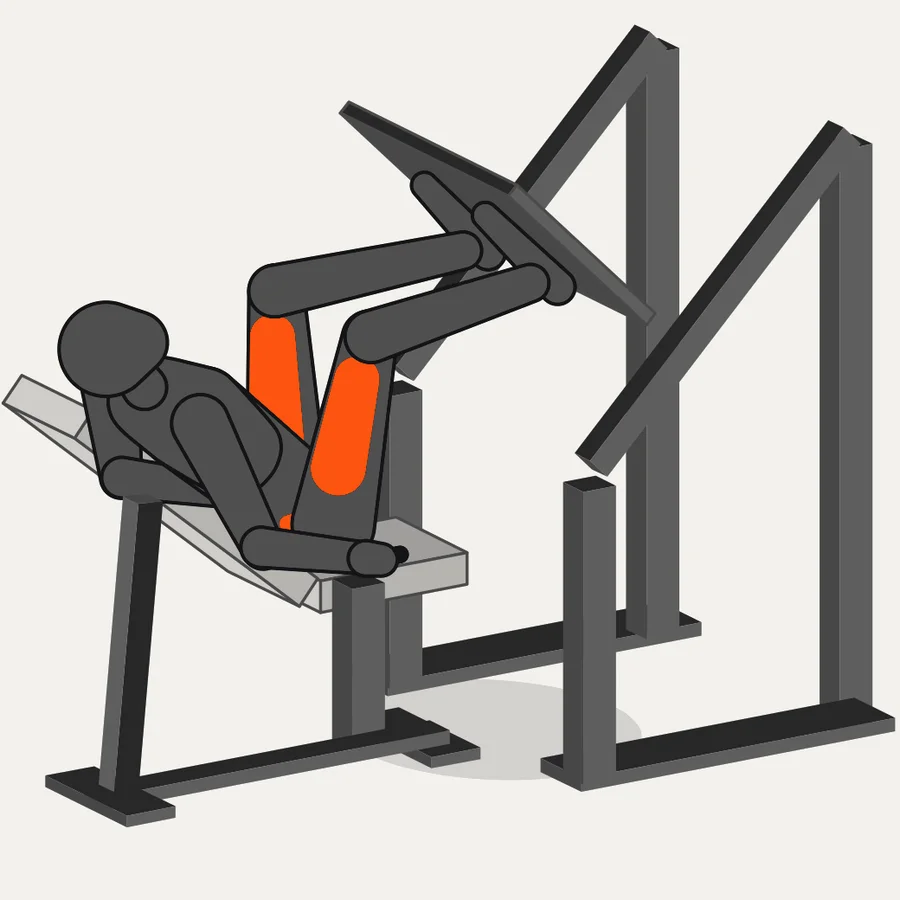
Log a set and the rest timer starts on its own, with a length set for each exercise. On supported iPhones it stays on your Lock Screen and Dynamic Island, and rest alerts send you back to the bar.
RestBarbell bench press
1:42The moment a set tops your best, Gyme marks it and shows exactly what you added.
New personal record
Barbell bench press
82.5kg
× 8 reps
Previous best80 kg
Added+2.5 kg
Every session ends with a clean card: total volume, time and a comparison you can picture. Share it or keep it for yourself.
GYME
Total volume lifted
3,930kg
≈ 4 city cars
52 min
Run your next session like this.
7-day free trial
Gyme counts weeks. One session keeps a week alive, and one missed week in a run is forgiven, so a holiday or a cold leaves your streak standing.
11-week streak. Week six was missed and forgiven.
Start your streak this week.
7-day free trial
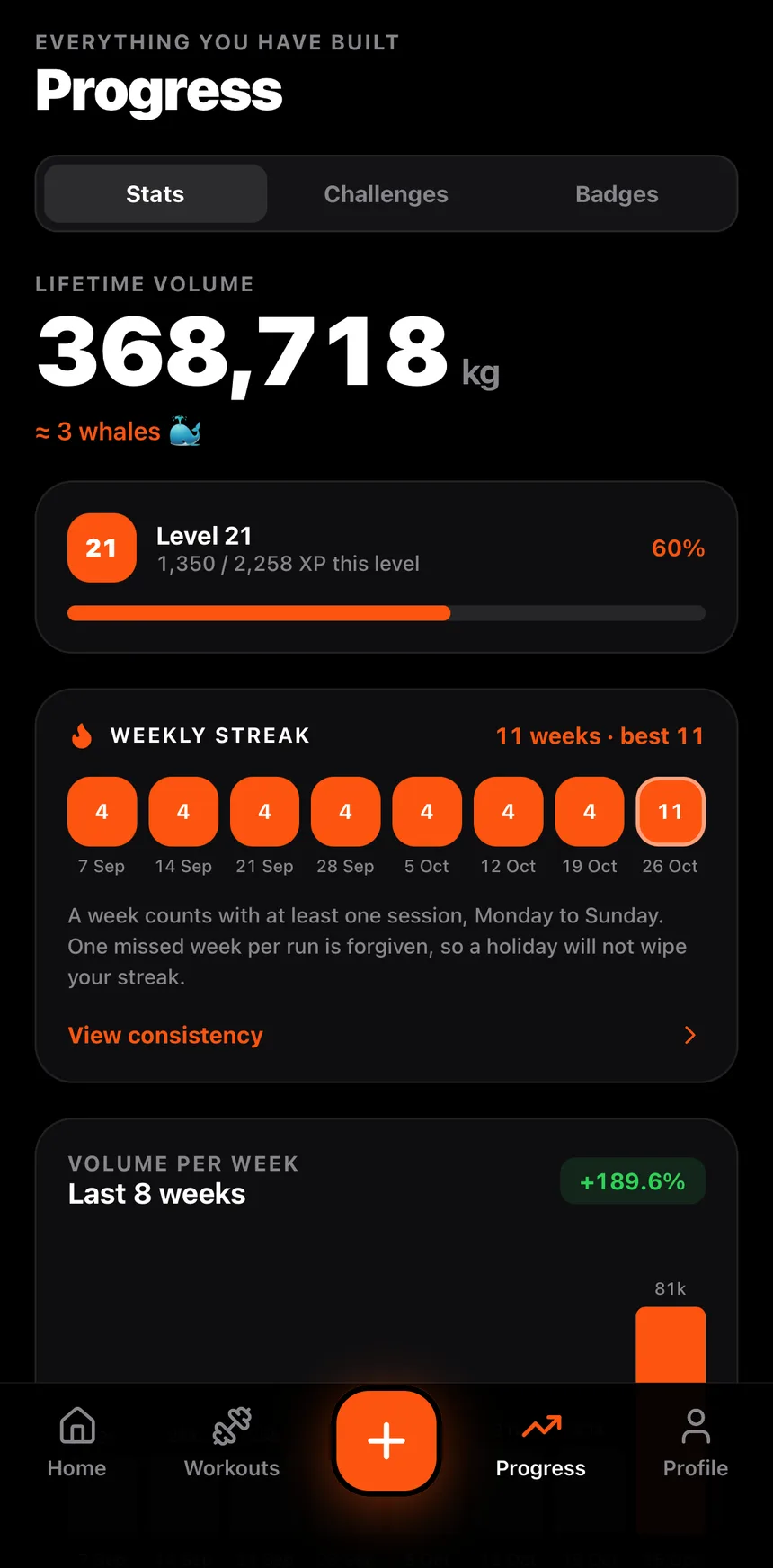
If you track with a notes app or a spreadsheet today, this is the difference you feel mid-workout.
| Notes app | Gyme | |
|---|---|---|
| Last session’s numbers | Scroll back to find them | Beside every set |
| Reusing them | Retype every set | One tap |
| Rest between sets | A timer in another app | Built in, set per exercise |
| Plates per side | Mental math | Plate calculator |
| Personal records | You have to remember | Marked when you beat one |
| Consistency | Count the weeks yourself | Weekly streak with a forgiven week |
Gyme is a paid app. You choose a plan after setup, annual and monthly start with a 7-day free trial, and every plan includes everything.
$39.99/ year
About $3.33 a month. Save 52% vs monthly.
Start 7-day free trial$6.99/ month
7-day free trial. Cancel anytime.
Start 7-day free trial$89.99once
One payment, no renewal. Yours for good.
Get lifetime accessPrices in USD for reference; the App Store shows your local price, trial eligibility and terms before you confirm. The free trial is for eligible new users. Subscriptions renew automatically until cancelled.
Something else? Write to support.gymeapp@gmail.com.
Gyme is a gym tracker for iPhone built around progressive overload. It shows the weight and reps from your last session beside every set, then gives you a rest timer, a plate calculator, personal records and a weekly streak. It tracks lifting only, so there is no calorie counting.
Your plan’s starting weights are already filled in. Change them to whatever feels right and log your sets. That first session is your baseline: from then on, your previous weight and reps appear beside every set.
You choose a plan in the app after setup. The annual and monthly plans start with a 7-day free trial for eligible new users, and nothing is charged that day. If you do nothing, your plan starts when the trial ends. To avoid being charged, cancel in your Apple ID settings before the trial is over. The App Store shows your exact price and trial terms before you confirm.
No. After setup, Gyme asks you to choose a plan. The annual and monthly plans start with a 7-day free trial, and every plan includes everything in the app.
The annual plan is $39.99 a year, which is about $3.33 a month. Monthly is $6.99. Lifetime is $89.99 once. Prices are in USD here; the App Store shows your local price.
Open your Apple ID subscriptions in Settings on your iPhone and cancel there. Subscriptions renew automatically until cancelled. If you cancel during the trial you are not charged, and you keep access until the trial ends.
You keep access until the period you paid for is over. After that, Gyme asks you to choose a plan before the app opens again. Your logged workouts stay on your iPhone as long as the app stays installed, so your history is there when you come back.
Yes. Use Restore purchases on the plan screen with the same Apple ID. To bring your workout history along, export a backup file from the Profile tab on the old phone and import it on the new one.
No. Gyme is built for lifting and progressive overload, so it tracks weight, reps, volume and consistency.
On your iPhone. Gyme does not have cloud sync, so a backup export is the way to move or protect your history.
Yes. Build your own routines and add your own exercises, or start from the plan Gyme generates and edit it.
Both. Pick your unit in the app, and the plate calculator follows it.
iPhone. You can download it from the App Store.
Start your 7-day free trial.